


Here are a few important reminders to help keep you safe.
-
For Individuals
Personal BankingWealth BankingPrivilege BankingPrivate BankUOB ReferralFor Companies
Wholesale BankingForeign Direct InvestmentUOB ASEAN InsightsIndustry InsightsUOB Islamic Banking
Islamic BankingAbout UOB
Corporate ProfileStakeholder RelationsUOB Digitalisation
Security
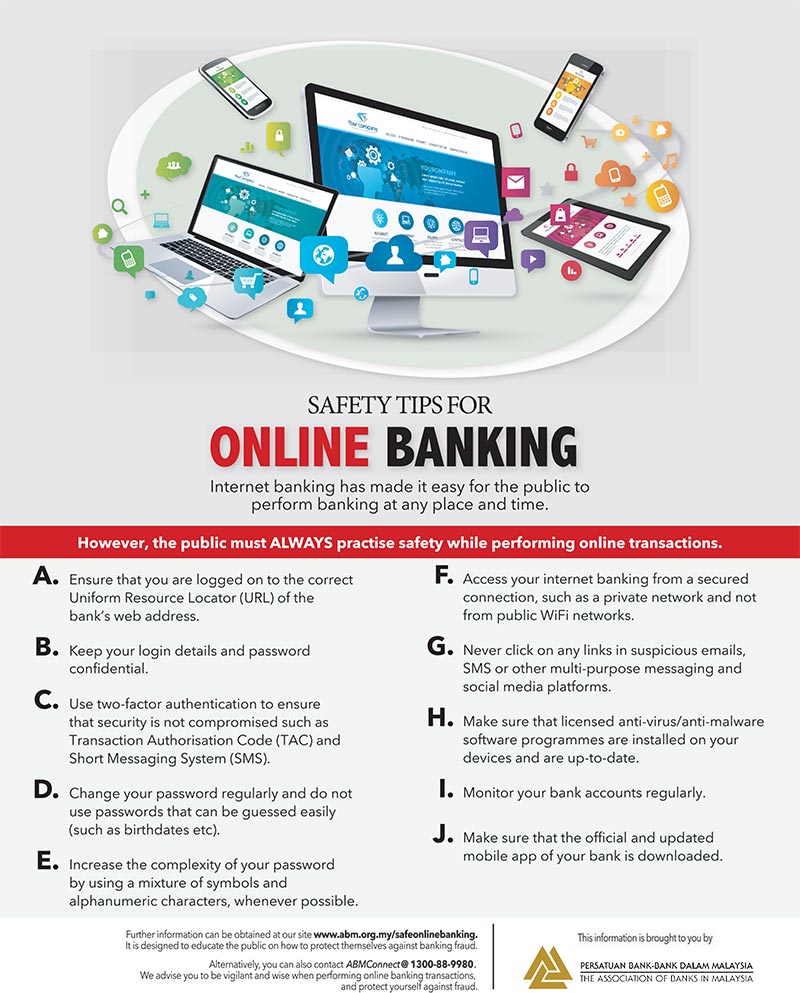
Your banking security is our priority. Stay updated with alerts, safety tips, and support to keep your accounts protected from scams.
If you believe you have been scammed, call our 24-hour Fraud Reporting Hotline immediately at +6 03-2612 8100.
Scam Awareness from #JanganKenaScam
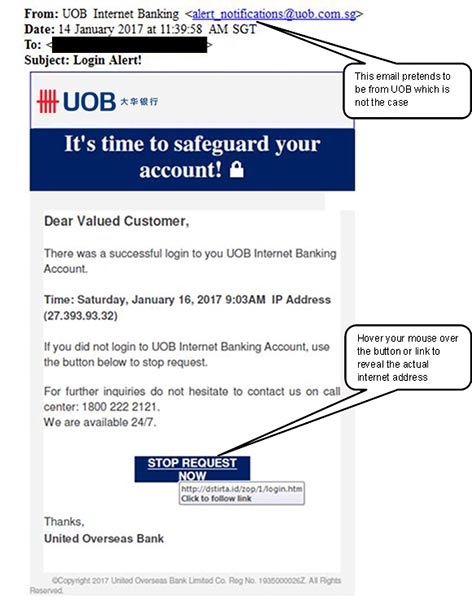
Stay informed of the latest scam tactics. Learn more about scammers’ common yet misleading tactics using seemingly ordinary messages and phone calls.
UOB Security Alerts

stay_one_step_ahead_of_scams
Latest Online Threats
Stay One Step Ahead of Scams

online_shopping_scam
Latest Online Threats
Online Shopping Scam
As the popularity of e-commerce grows, the number of online shopping scams also increases in tandem.
love_scam
Latest Online Threats
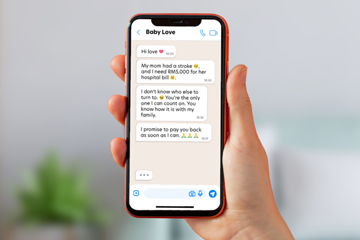
Love Scam
Scammers use romantic words and false promises to deceive and ensnare victims.
mule_account
Latest Online Threats
Mule Account
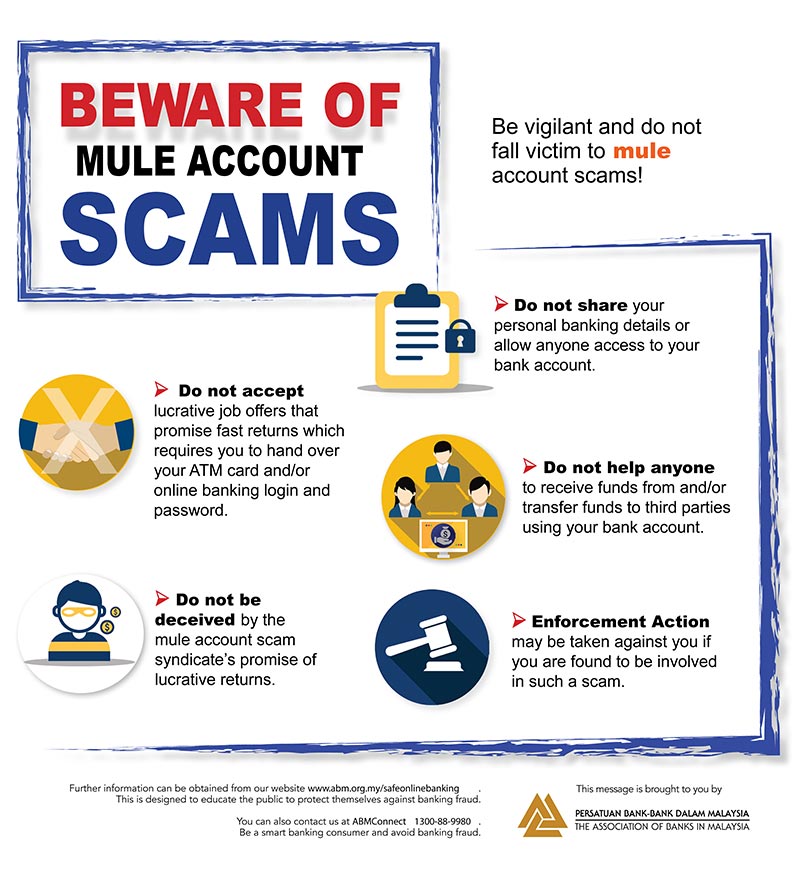
Be vigilant and do not fall victim to mule account scams.

malware
Latest Online Threats
Malware
Malware is software used by scammers to hack and gain remote access to your device undetected.
sms_scams
Latest Online Threats
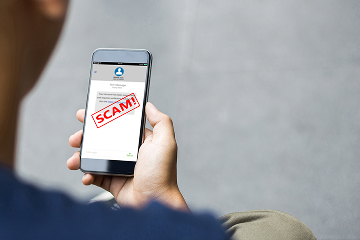
SMS Scams
Victims will receive SMS messages about low interest rates offering from the bank for personal loans or other similar "offers". These SMS messages contain a phone contact for interested individuals to call.


Compare accounts
Stay Safe Online

Update your OS
Mobile operating system (OS) updates help address potential security vulnerabilities that may be exploited by scammers, such as the use of malicious software, to gain unauthorised access or to compromise personal and banking information.
Regularly updating your mobile OS to the latest version ensures your device receives the latest security patches. We recommend updating to Android 12 or iOS 16 to strengthen protection against evolving cyber threats.
How to update your mobile OS*:
1. Open the Settings app
2. Go to Software Update on Android or General and Software Update on iOS
3. Install the latest available version
It is also important to keep your web browser updated. Browser updates will help reduce similar risks and support safer use of online services, including online banking websites.
How to update your web browser*:
1. Open your web browser
2. Go to Settings, Help, or About
3. Install the latest available version and restart if prompted
* The steps may vary depending on your device or browser.



Safeguard Your Credit/Debit Card



Help & Support
If you detect any unauthorised transaction(s) or suspect your banking information has been compromised, we are here to assist you.
If you detect unauthorised transaction(s):

- Call our 24/7 Fraud Hotline at +6(03) 2612 8100 and press 1 to speak with an agent and report the issue. You will need to provide the following information to initiate the investigation:
- Full name
- NRIC or passport number
- Affected account number
- Date and amount of the transaction(s)
- The reason you believe the transaction(s) is unauthorised
- Your preferred contact details
- You will receive an email confirming your report within 2 working days. If further information is needed to facilitate the investigation, we will contact you via the details provided to us during your call.
- A written notification on the outcome of the investigation will be provided within 14 working days of your initial call. If additional time is needed to complete the investigation, we will notify you. The notification will include details on any provisional credit*, if applicable, along with the terms and conditions. The credit provided will be up to the amount of the unauthorised transaction(s) or RM5,000, whichever is lower.
*A provisional credit is a temporary credit given by the bank on the disputed amount. If the investigation determines that you are liable for the unauthorised transaction(s), any provisional credit that was provided will be reversed.
If you suspect your banking information has been compromised:
- Call our 24/7 Fraud Hotline at +6(03) 2612 8100 and press 2 to activate the Kill Switch. This self-service feature instantly secures your funds by disabling your UOB online banking access.
- Once your online banking access is disabled, you will receive an email and SMS notification. Any active login sessions will be terminated immediately.
- To reactivate your online banking access, please visit the nearest UOB branch for assistance.
For all fraud/scam cases, please lodge a police report as soon as possible and submit a copy:
- Via email to Customer Communications Managementuobcustomerservice@uob.com.my, or
- In person at any branch.
For online fraud reporting
If you believe that your banking information is compromised or that there has been an unauthorized breach or transaction on your account, you should notify the Bank immediately.

UOB Contact Centre
• Kuala Lumpur +6 03-26128 121
• Penang +6 04-2401 121
• Johor Bahru +6 07-2881 121
• Kuching +6 082-287 121
• Kota Kinabalu +6 088-477 121

24-hour Fraud/Scam Reporting
Report
• Lost or stolen card
• Online Fraud
• Kill switch
+6 03-2612 8100

Personal Banking
Privilege Banking
• Within Malaysia: 1800 889833
• From Overseas: +6 03-2612 3312
UOB Visa Infinite Concierge / UOB Zenith Concierge
+6 03-2612 3399
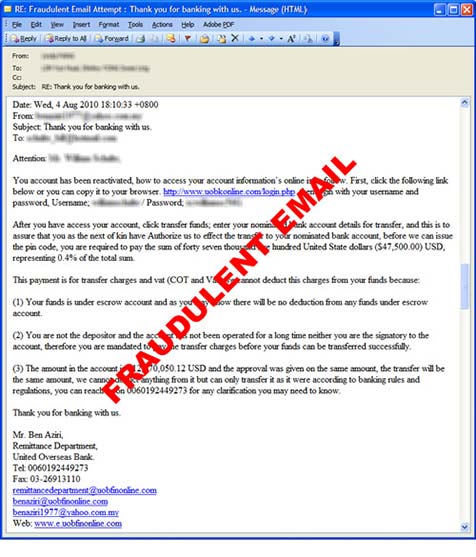
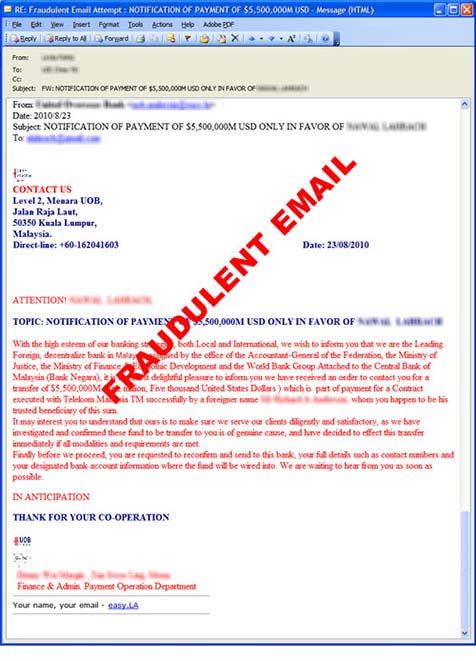

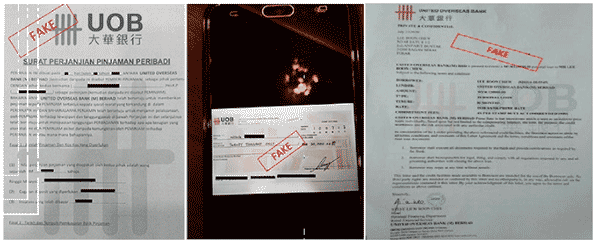
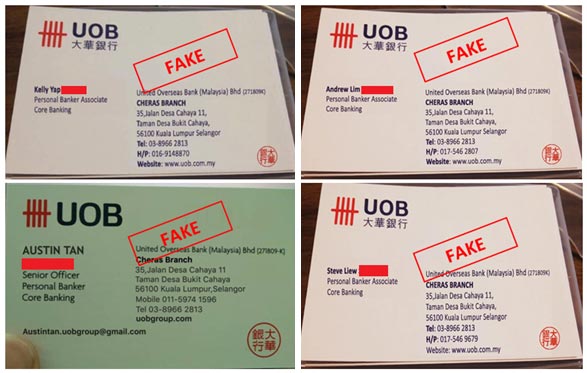
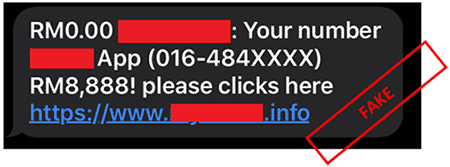
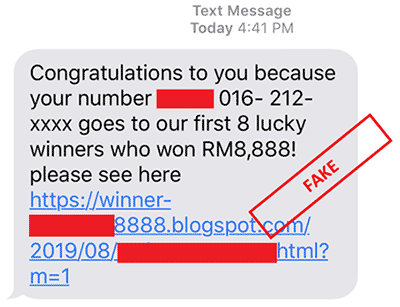
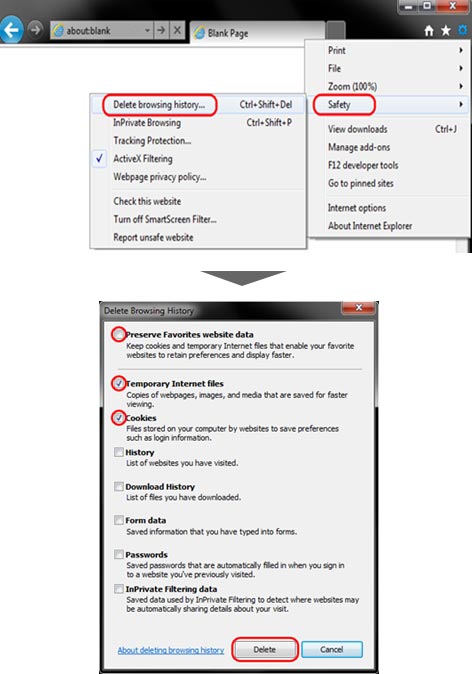
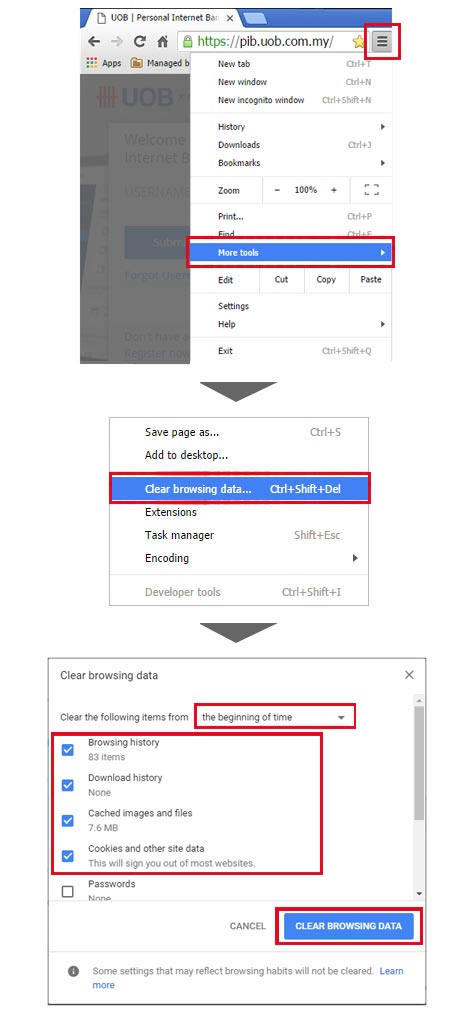
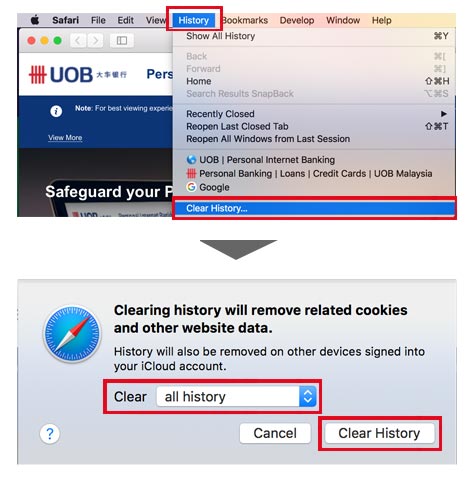

We use cookies in order to provide you with better services on our website. By continuing to browse the site, you agree to our privacy notice and cookie policy.




Social Media Scam
Scammers will use popular social media platforms such as Facebook, Instagram, Whatsapp, WeChat, etc to obtain victim’s personal & banking information such as account/ card numbers & One-Time Password (OTP)/Transaction Authentication Code (TAC).
Scammers will use these social media platforms to;
Once the victim reveals these details, the scammers will be able to successfully validate the OTP/TAC to perform any online purchase via the victim’s credit card or transfer money to the scammer’s account.
Tips to protect yourself