
CARD PRIVILEGES & SERVICES
Tools & Tips
PROPERTY
PROPERTY LOAN PROMOTIONS



TMRW made more rewarding
View and redeem your rewards on the UOB TMRW app. Enjoy exclusive deals and UOB coupons in the palm of your hand.
Find out more
-
you are in Personal Banking

For Individuals
Wealth BankingPrivilege BankingPrivate BankUOB ReferralFor Companies
Wholesale BankingForeign Direct InvestmentUOB ASEAN InsightsIndustry InsightsUOB Islamic Banking
Islamic BankingAbout UOB
Corporate ProfileStakeholder RelationsUOB Digitalisation

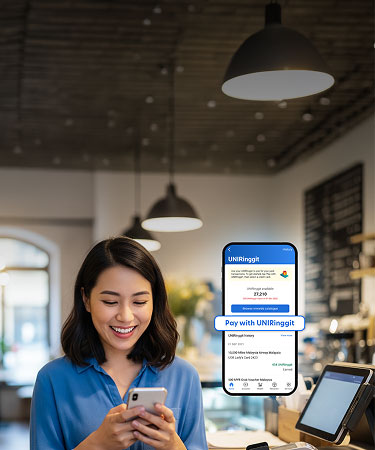
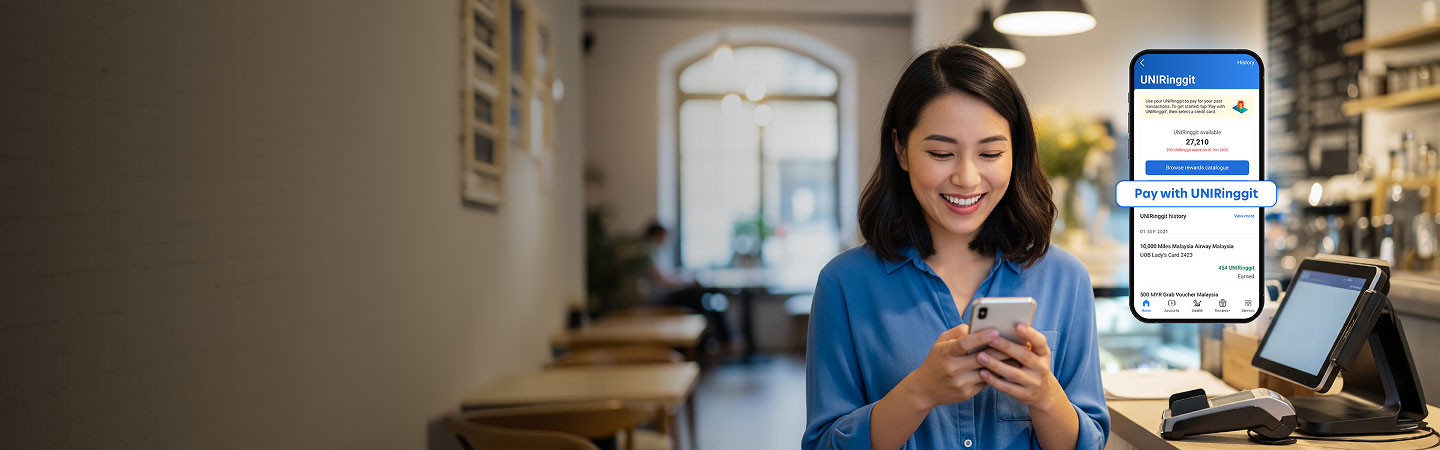
Pay with UNIRinggit
Enjoy the flexibility to redeem anything you desire with your UNIRinggit.
Simply use your UNIRinggit to offset any of your purchases.
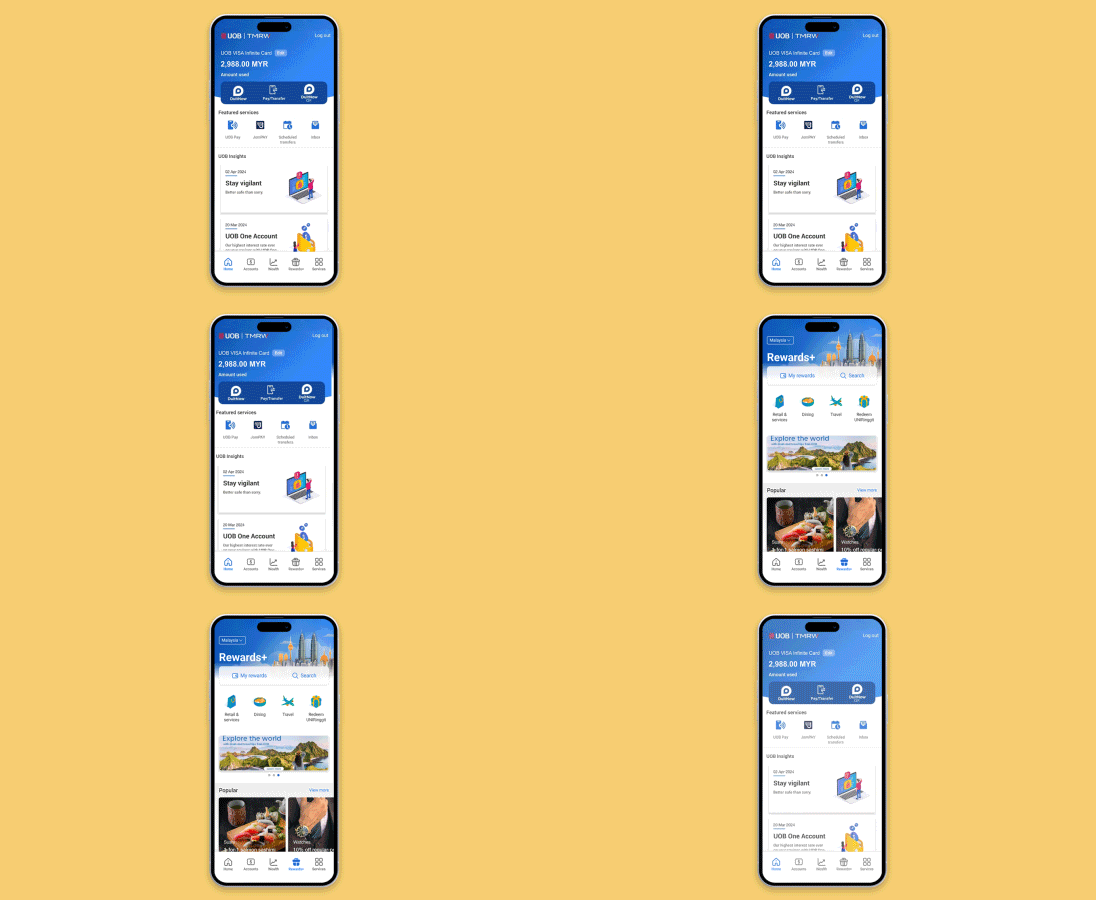
Go to 'Rewards+' and tap 'My rewards'
Login to UOB TMRW app, tap on 'Rewards+' and go to 'My rewards'.
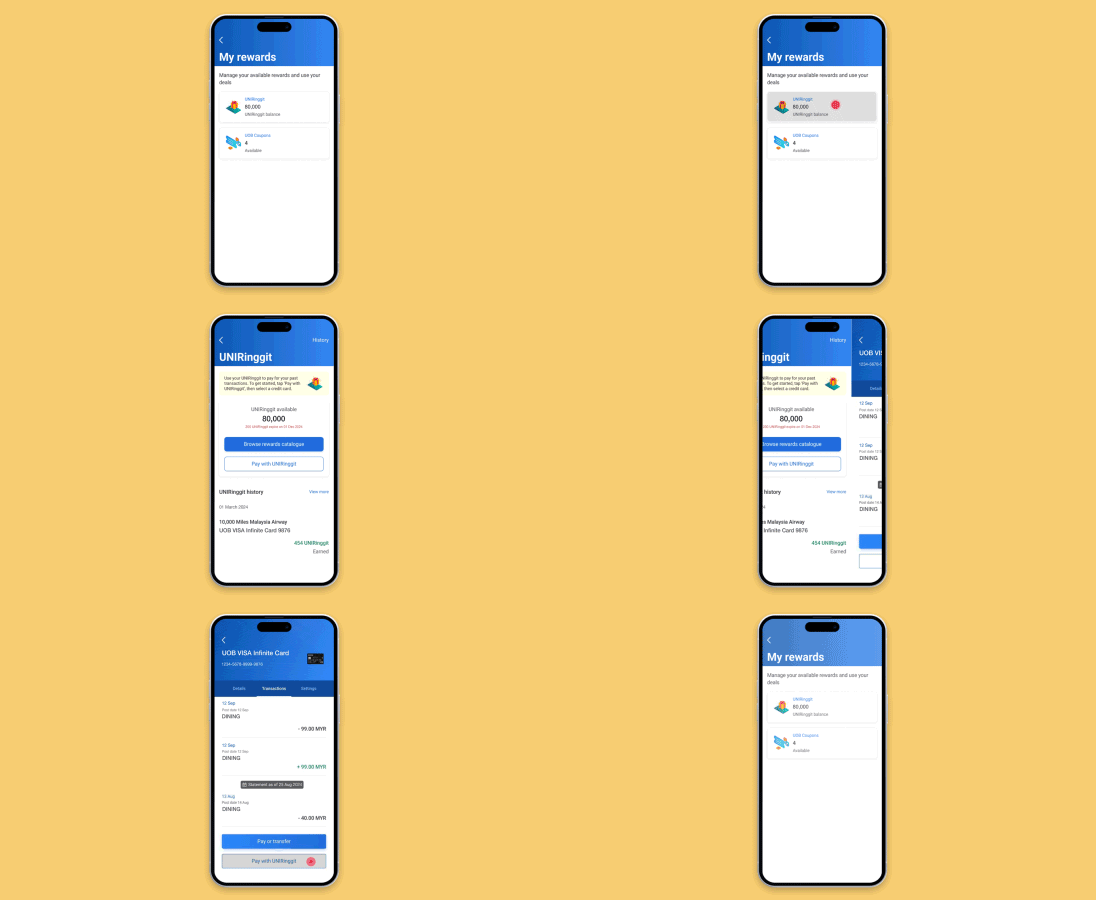
Select 'UNIRinggit' and tap 'Pay with UNIRinggit'
Select UNIRinggit, tap 'Pay with UNIRinggit' to proceed.
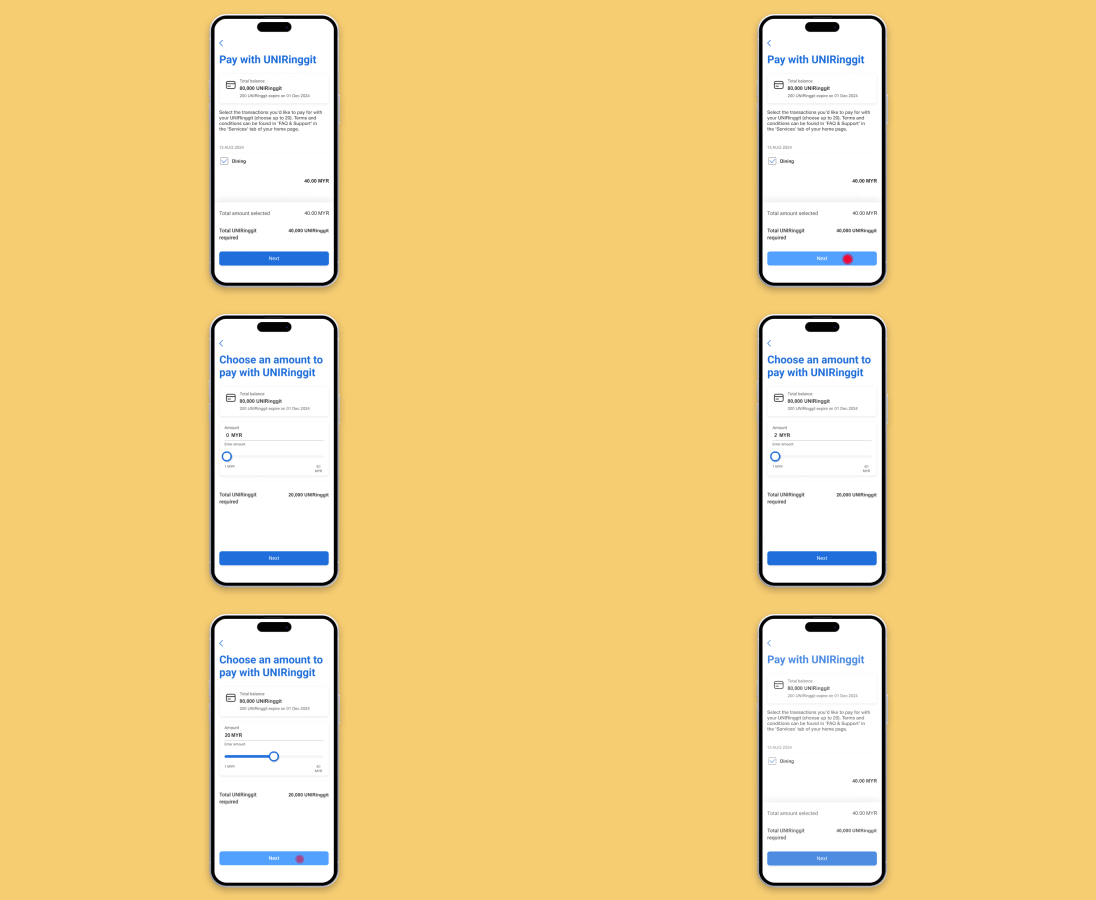
Select your desired purchase(s)
Select your Credit Card, then tap 'Pay with UNIRinggit' and select transaction(s).
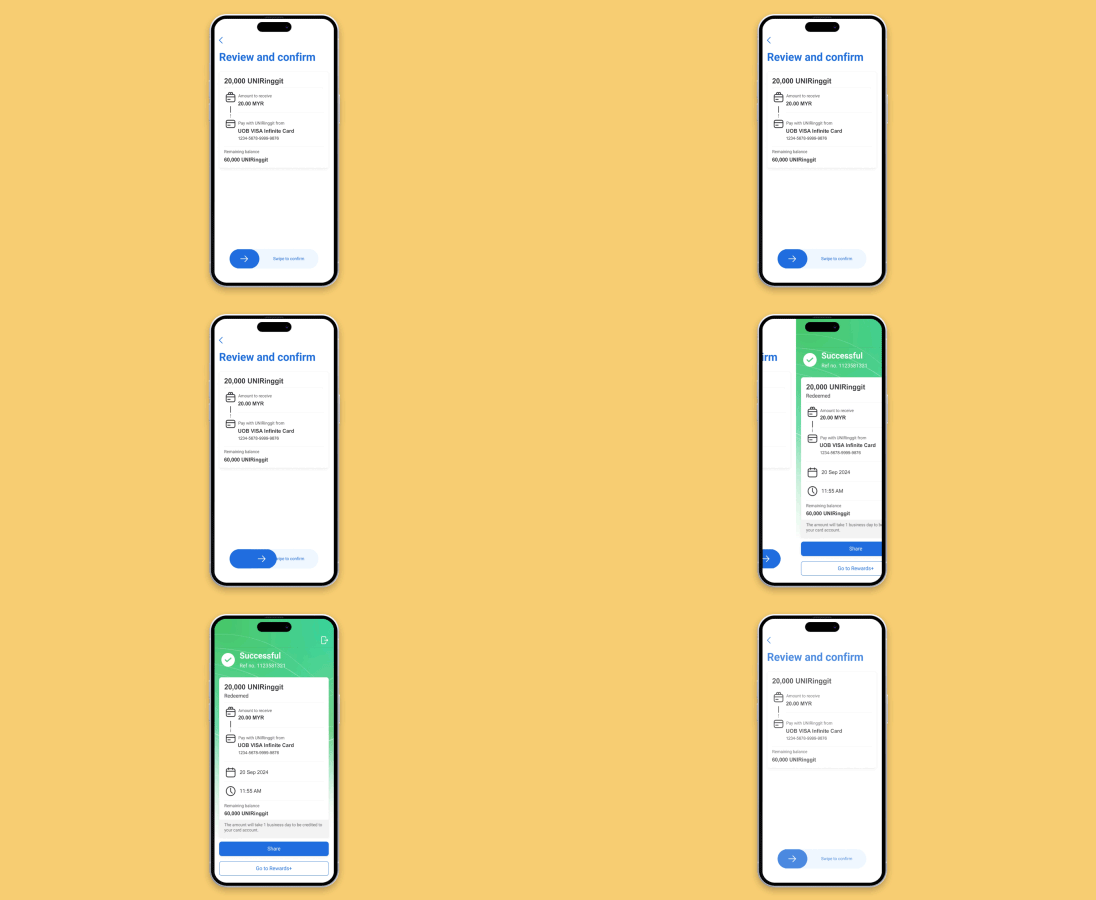
Swipe to confirm
Review and confirm your redemption. The redeemed amount will be reflected in your next card statement.
Rewards Catalogue
Redeem gadgets, lifestyle products, vouchers and more from our UNIRinggit Rewards Catalogue.
Simply browse, select, and enjoy.
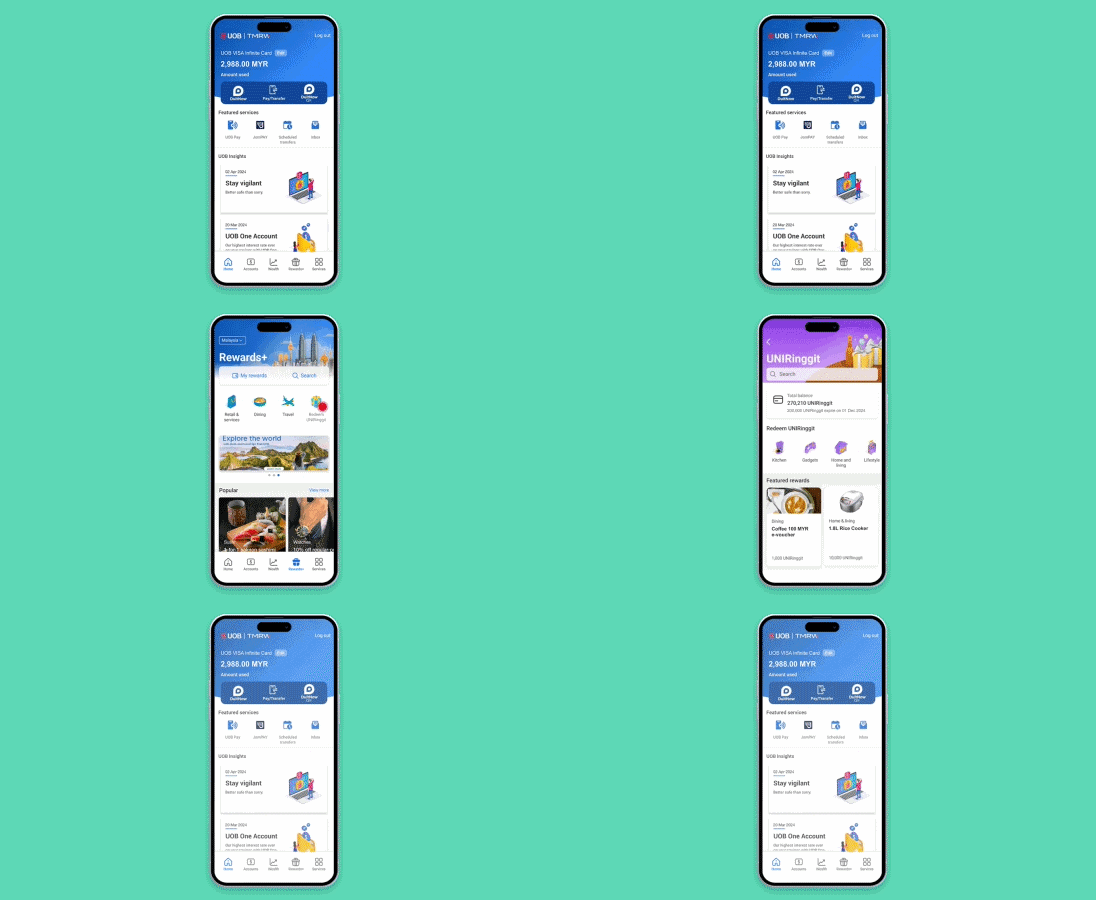
Go to 'Rewards+' and tap 'Redeem UNIRinggit'
Login to UOB TMRW app and go to 'Rewards+'. Tap on 'Redeem UNIRinggit' to browse the Rewards Catalogue.
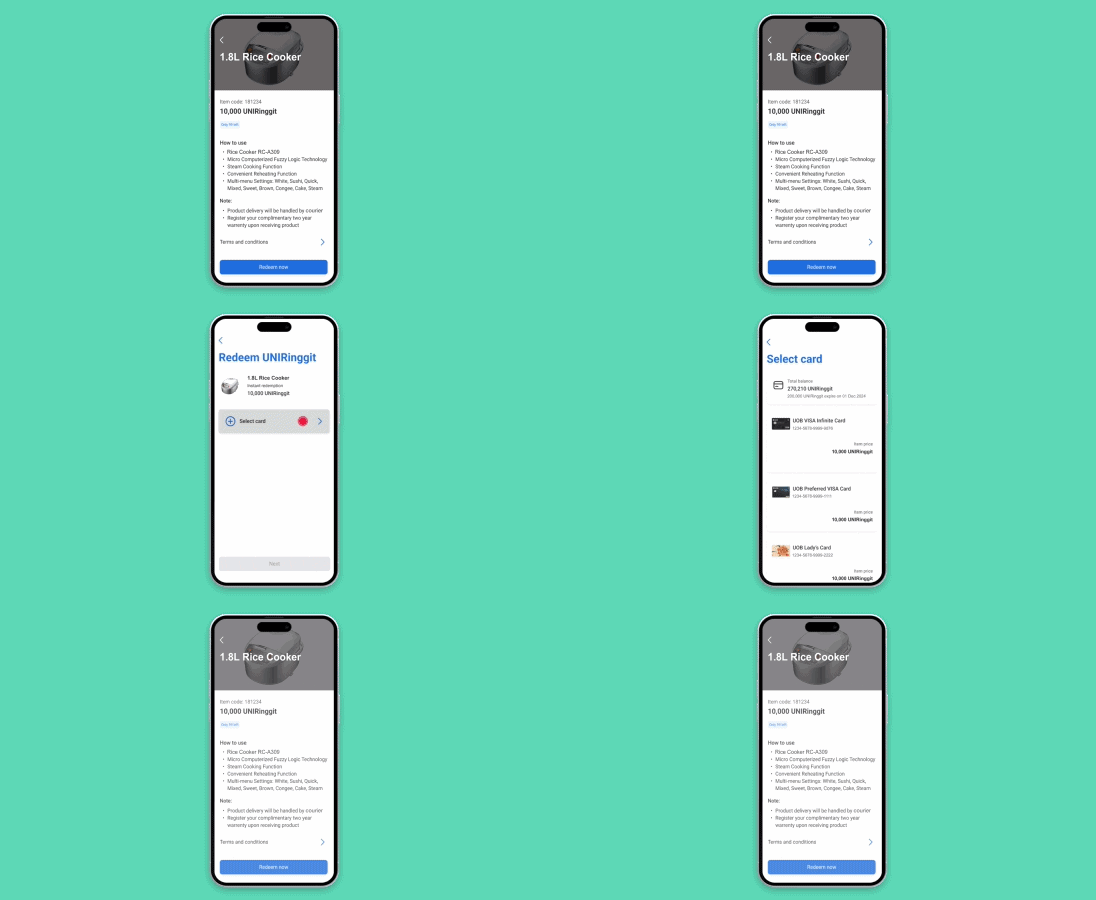
Choose your desired item
Choose your desired item and select your card of choice to proceed with redemption.
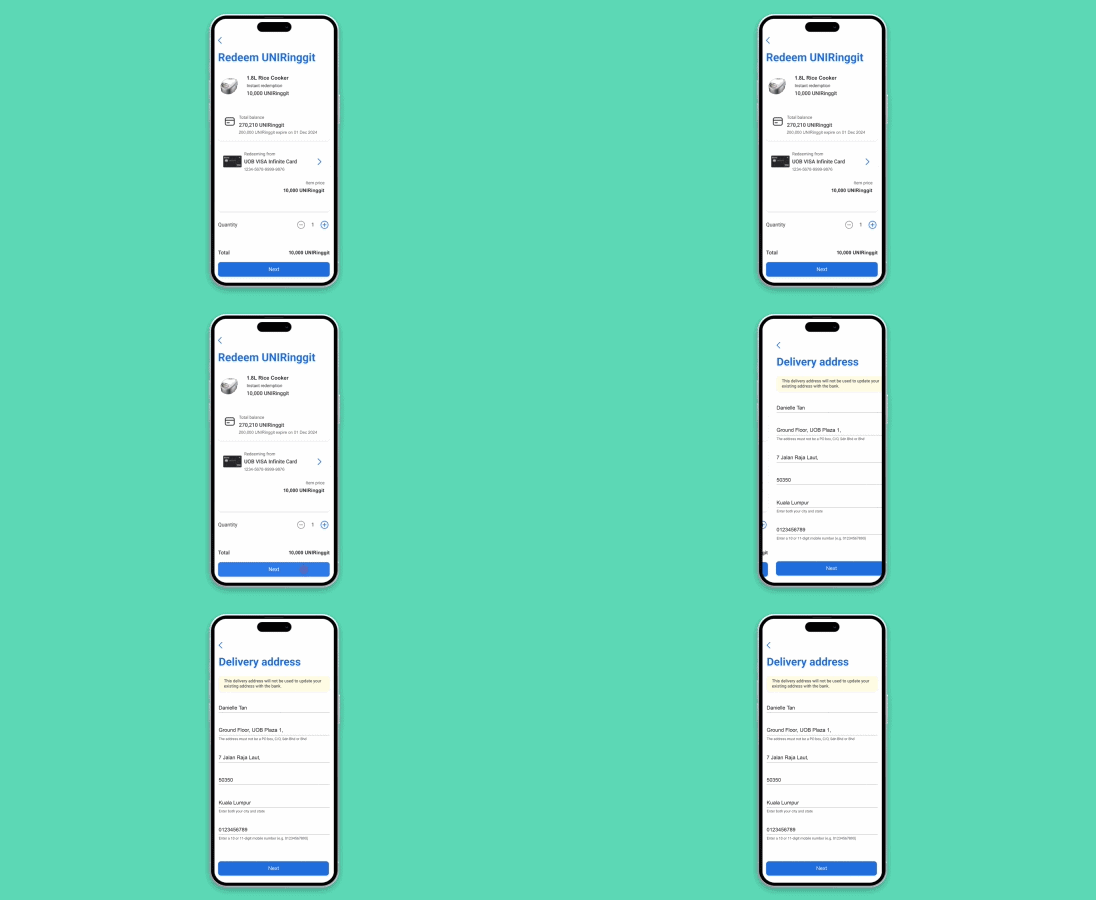
Input your delivery details
Input your delivery details, and tap 'Next'.
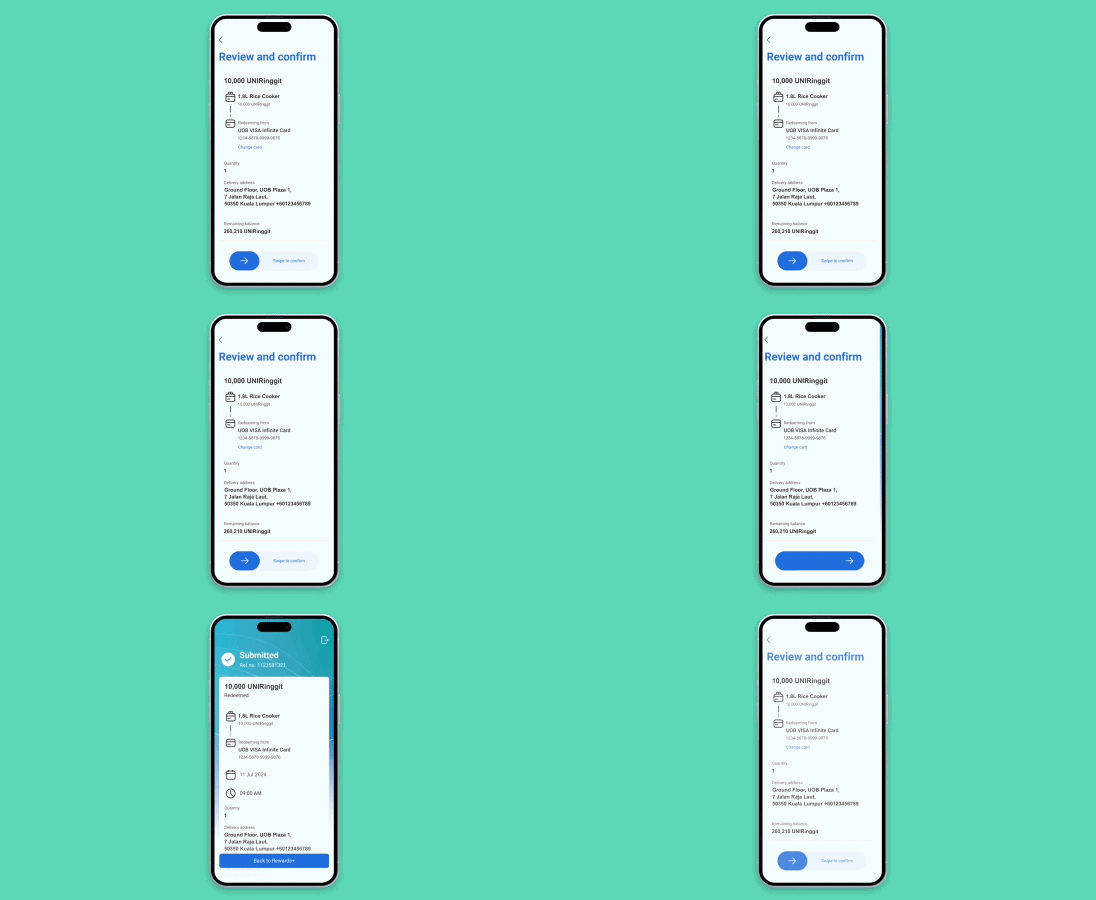
Swipe to confirm
Review and confirm your redemption. Your Rewards redemption request has been submitted.
View your UNIRinggit Balance & History
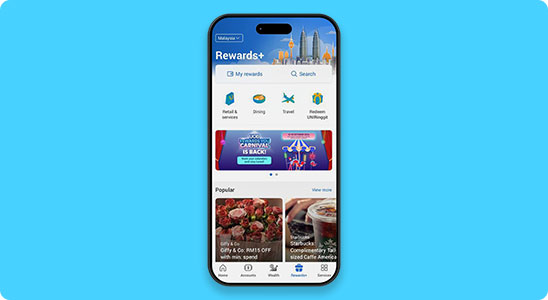
Go to 'Rewards+' and tap 'My rewards'
Login to UOB TMRW app, tap on 'Rewards+' and go to 'My rewards'.
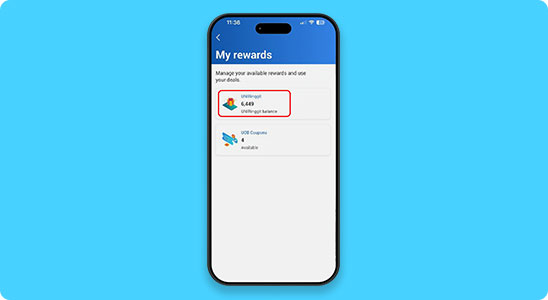
Select 'UNIRinggit'
UNIRinggit balance shown, select 'UNIRinggit'.
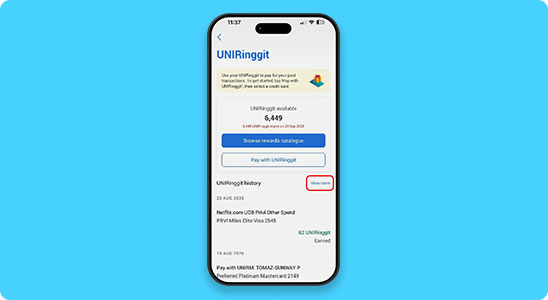
View your UNIRinggit Balance
View your UNIRinggit balance and UNIRinggit expiry date.
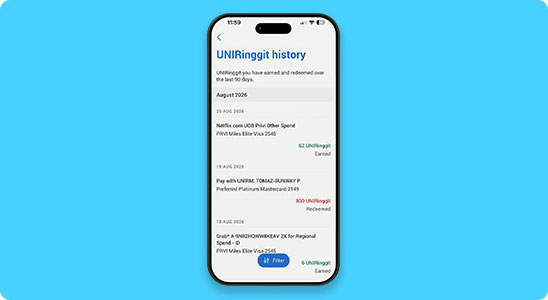
Tap 'View more' for UNIRinggit History
Tap 'View more' for detailed UNIRinggit earned and redeemed history.
|
Frequently Asked Questions
|
PAY WITH UNIRINGGIT
What is Pay with UNIRinggit?

Pay with UNIRinggit allows you to use your accumulated rewards points to offset all or part of your purchases instantly via UOB TMRW app.
Which UOB credit cards are eligible for Pay with UNIRinggit?
The following UOB credit cards are eligible for Pay with UNIRinggit:
UOB EVOL, UOB Lady's Classic, UOB Lady's Platinum, UOB Lady's Solitaire, Lazada UOB, UOB Privilege Banking Visa Infinite, UOB PRVI Miles Elite, UOB Visa PRVI Miles, UOB Preferred Platinum, UOB Visa Infinite, UOB Visa Infinite Metal, UOB World, UOB YOLO, and UOB Zenith.
Once I’ve made a purchase(s) with UOB credit card, how soon can I perform a Pay with UNIRinggit redemption for that transaction?
After making a purchase(s) with your UOB credit card, login to UOB TMRW app, select the credit card and tap ‘Pay with UNIRinggit’. You may select up to 20 transactions and offset any of your purchase(s) within 60 days from the transaction date.
Is there a limit on the number of transactions I can select for Pay with UNIRinggit redemption?
You may select up to 20 transactions per redemption. For multiple transactions selection, only full amount redemptions are allowed. Partial redemption is available only when selecting a single transaction.
Where can I view my Pay with UNIRinggit redemptions?
You can view your redemptions by logging into UOB TMRW app, go to ‘Rewards+’, tap ‘My rewards’ and select ‘UNIRinggit’. Your redemption records will be available under the ‘UNIRinggit history’ section.
Do I still need to make the required minimum payment or settle any overdue amounts if I perform Pay with UNIRinggit redemptions?
Yes, you are still required to pay the minimum payment and/or any overdue amount reflected in your credit card statement in accordance with your credit card agreement. Your payment obligations remain unchanged.
Can I reverse my Pay with UNIRinggit redemption?
Once a Pay with UNIRinggit redemption has been successfully completed, it is final and cannot be changed, cancelled or refunded.
REWARDS CATALOGUE
What is the UNIRinggit Rewards Catalogue?
The UNIRinggit Rewards Catalogue redemption is where you can redeem your UNIRinggit for vouchers, products, airmiles, and more, including offsetting SST and annual fees.
Which UOB credit card is eligible for UNIRinggit Rewards Catalogue redemption?
The following UOB credit cards are eligible for UNIRinggit Rewards Catalogue:
UOB EVOL, UOB Lady's Classic, UOB Lady's Platinum, UOB Lady's Solitaire, UOB Privilege Banking Visa Infinite, UOB PRVI Miles Elite, UOB Visa PRVI Miles, UOB Preferred Platinum, UOB Visa Infinite, UOB Visa Infinite Metal, UOB World, UOB YOLO, and UOB Zenith.
How do I perform redemption for the UNIRinggit Rewards Catalogue?
You can redeem rewards from the UNIRinggit Rewards Catalogue via the UOB TMRW app.
How long will it take to process my UNIRinggit redemption request?
Redemption fulfilment will take place as follows after order processing:
- Air miles: within 5 working days
- Digital vouchers: within 7 working days
- Other items: within 14 working days
Order processing takes 1 working day upon submission
Where can I view my UNIRinggit redemptions records?
Login to your UOB TMRW app, go to ‘Rewards+’, tap ‘My rewards’ and select ‘UNIRinggit’. Your redemption records can be found under the ‘UNIRinggit history’ section.
Can I cancel my UNIRinggit redemption?
Once a UNIRinggit redemption is successfully completed, it is final and cannot be changed, cancelled or exchange.

We use cookies in order to provide you with better services on our website. By continuing to browse the site, you agree to our privacy notice and cookie policy.