
CARD PRIVILEGES
Tools & Tips

PROPERTY



Featured Promotion

TMRW made more rewarding
View and redeem your rewards on the UOB TMRW app. Enjoy exclusive deals and UOB coupons in the palm of your hand.
Find out more
-
you are in Personal Banking

For Individuals
Wealth BankingPrivilege BankingPrivate BankUOB ReferralFor Companies
Wholesale BankingForeign Direct InvestmentUOB ASEAN InsightsIndustry InsightsUOB Islamic Banking
Islamic BankingAbout UOB
Corporate ProfileStakeholder RelationsUOB Digitalisation


Manage Your UOB Account with Personal Internet Banking
Change of Address
Step 1
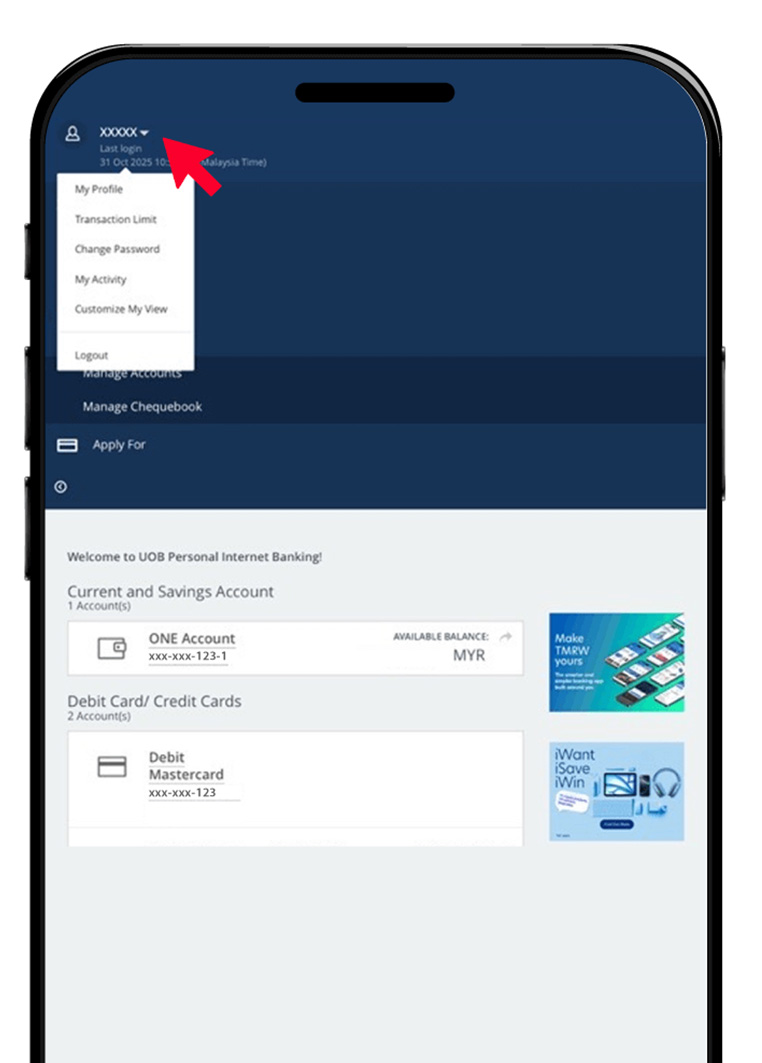
After logging in to Personal Internet Banking at www.pib.com.my, select the arrow down next to XXXXX at the top left and then click “My Profile”.
Step 2
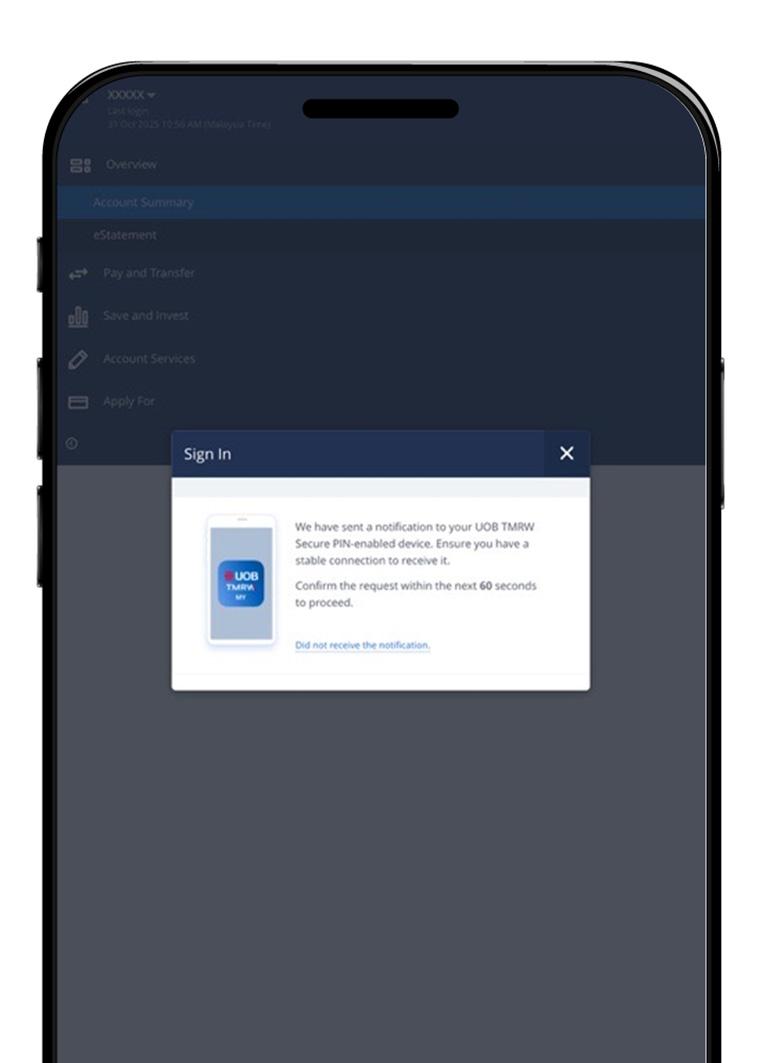
There will be a pop-up notification on your device to authenticate your sign in via UOB TMRW Secure PIN.
Step 3
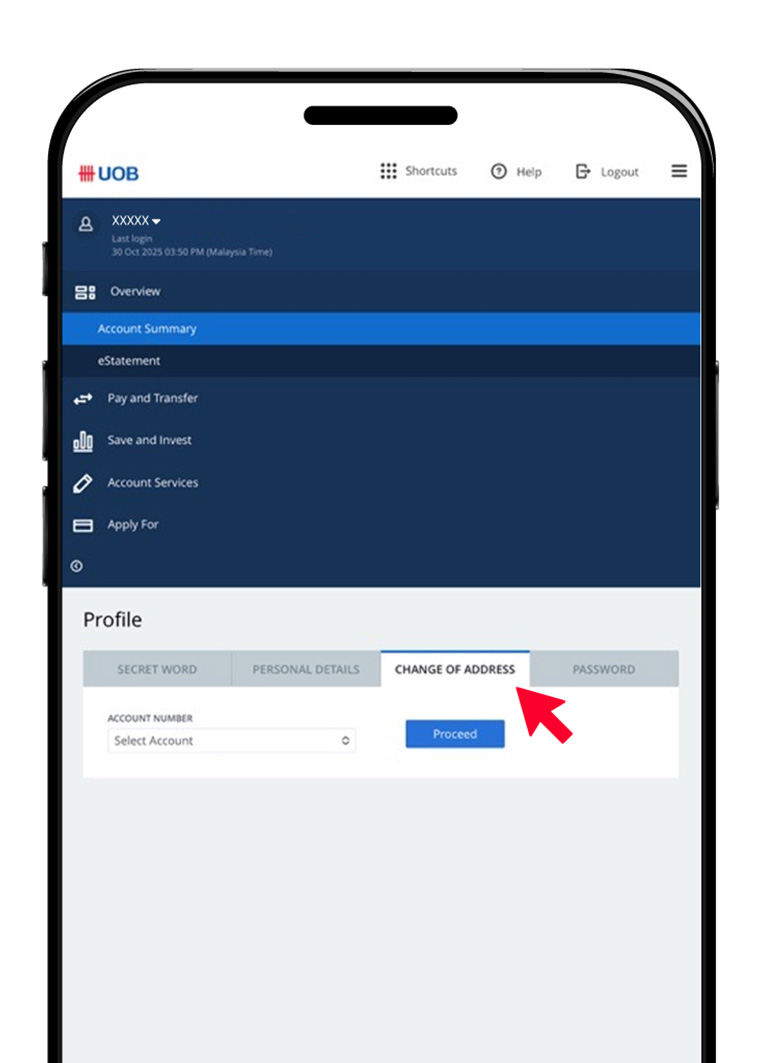
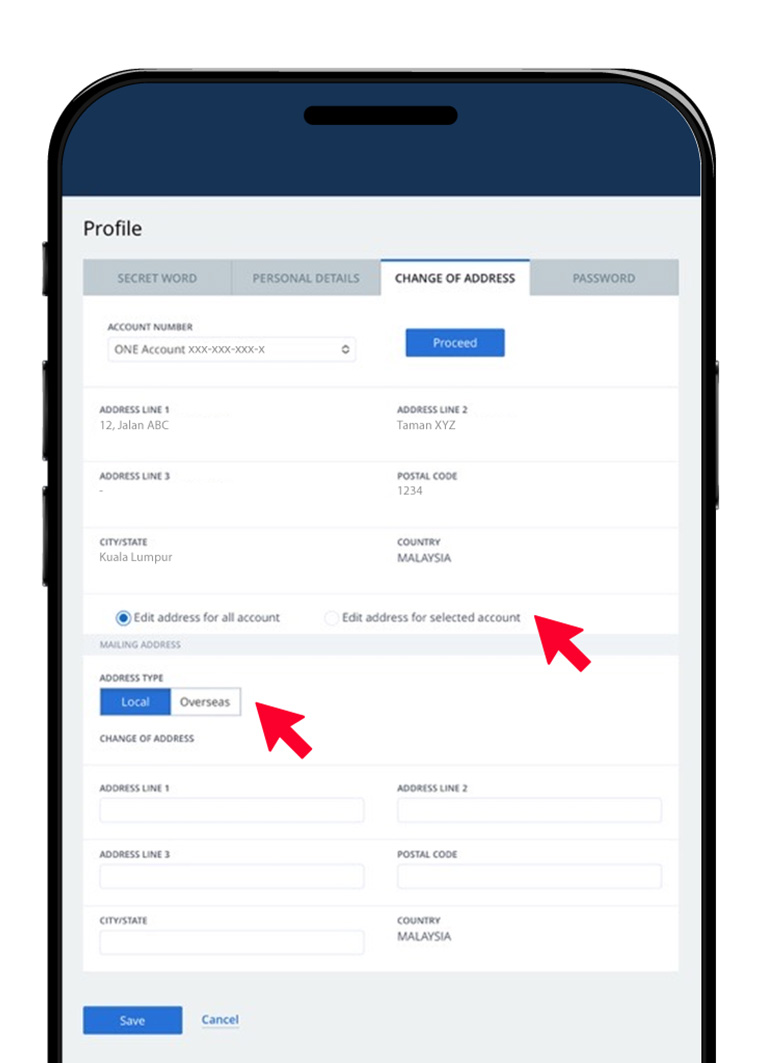
Go to the “Change of Address” tab.
Step 4
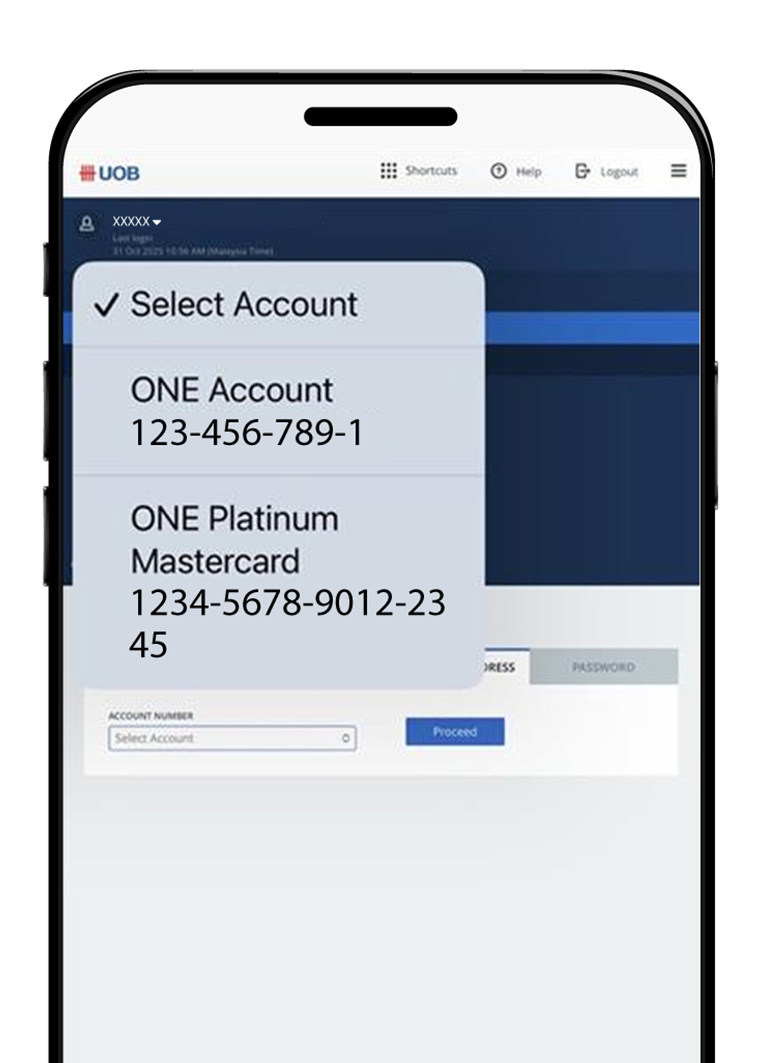
Select the account (note: this will show the address updated for the selected account).
Step 5
Select “Edit address for all accounts” or “Edit address for selected account” radio button. Select “Local” or “Overseas”. Update your address and press save.
Step 6
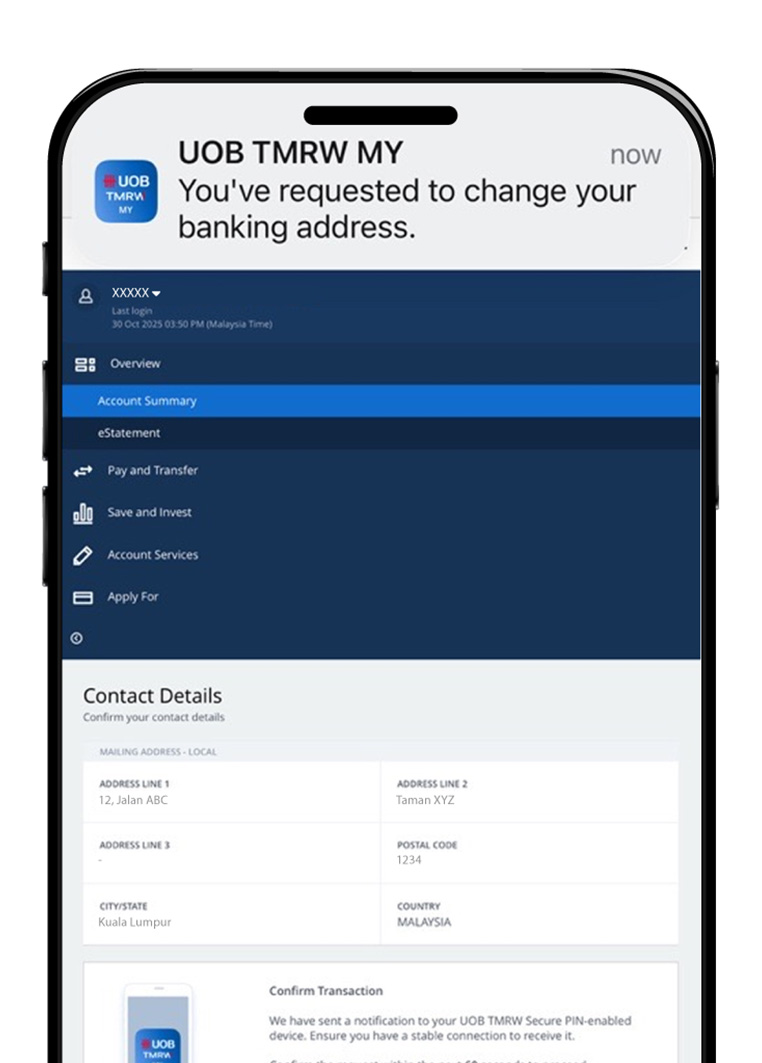
Confirm the address update with Secure PIN on the UOB TMRW app.


Step 1
After logging in to Personal Internet Banking at www.pib.com.my, select the arrow down next to XXXXX at the top left and then click “My Profile”.
Step 2
There will be a pop-up notification on your device to authenticate your sign in via UOB TMRW Secure PIN.
Step 3
Go to the “Change of Address” tab.
Step 4
Select the account (note: this will show the address updated for the selected account).
Step 5
Select “Edit address for all accounts” or “Edit address for selected account” radio button. Select “Local” or “Overseas”. Update your address and press save.
Step 6
Confirm the address update with Secure PIN on the UOB TMRW app.
Change of Password
Step 1
After logging in, you will see the account summary page with balances. At the top left, you will see an overview of your account. Select the arrow down next to XXXXX and then “My Profile”.
Step 2
There will be a pop-up notification on your device to authenticate your sign in via UOB TMRW Secure PIN.
Step 3
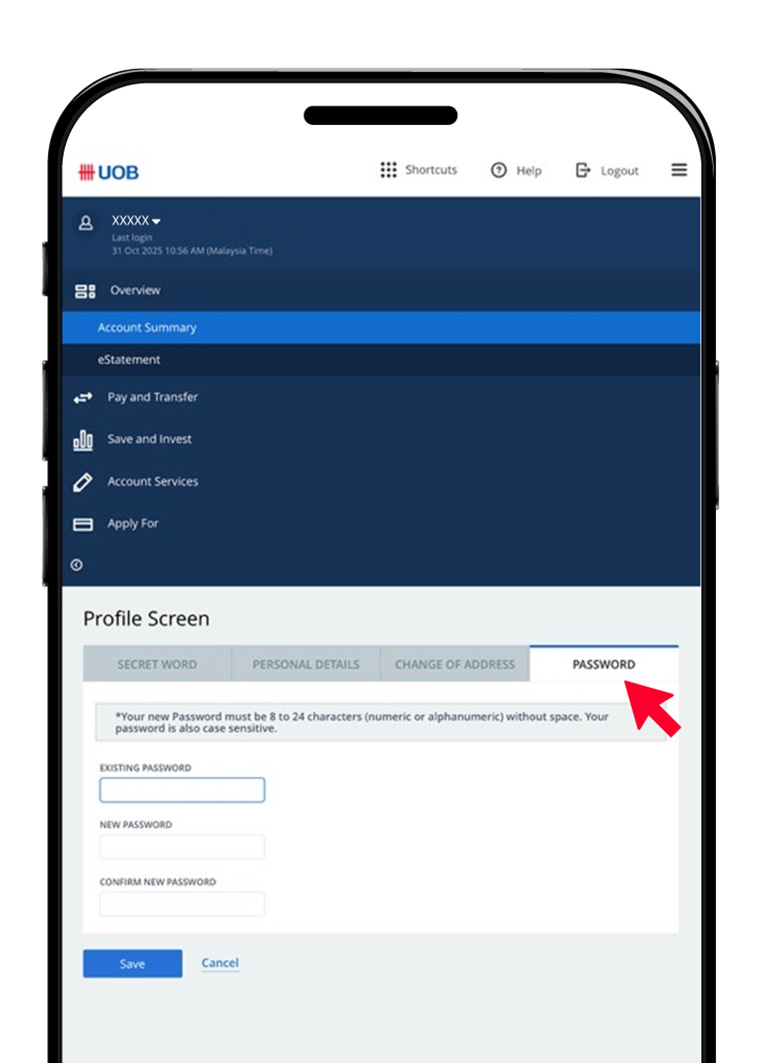
Go to the “Change Password” tab. Enter the existing and new password and press Save.
Step 4
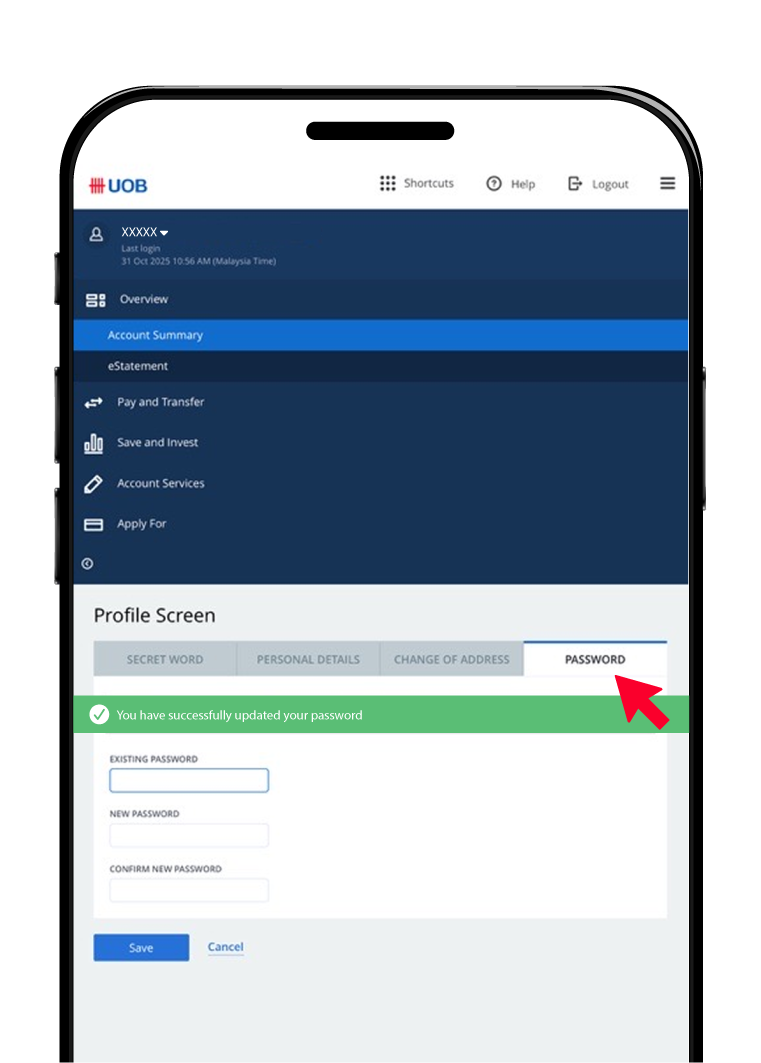
An SMS notification will be sent upon successful password update.
Change of Password
Step 1
After logging in, you will see the account summary page with balances. At the top left, you will see an overview of your account. Select the arrow down next to XXXXX and then “My Profile”.
Step 2
There will be a pop-up notification on your device to authenticate your sign in via UOB TMRW Secure PIN.
Step 3
Go to the “Change Password” tab. Enter the existing and new password and press Save.
Step 4
An SMS notification will be sent upon successful password update.
Update mobile number
To update your mobile number, please visit any UOB branch or complete the Personal Data Correction Form and mail it to our UOB Call Centre.
|

Make TMRW yours,
download now.




We use cookies in order to provide you with better services on our website. By continuing to browse the site, you agree to our privacy notice and cookie policy.